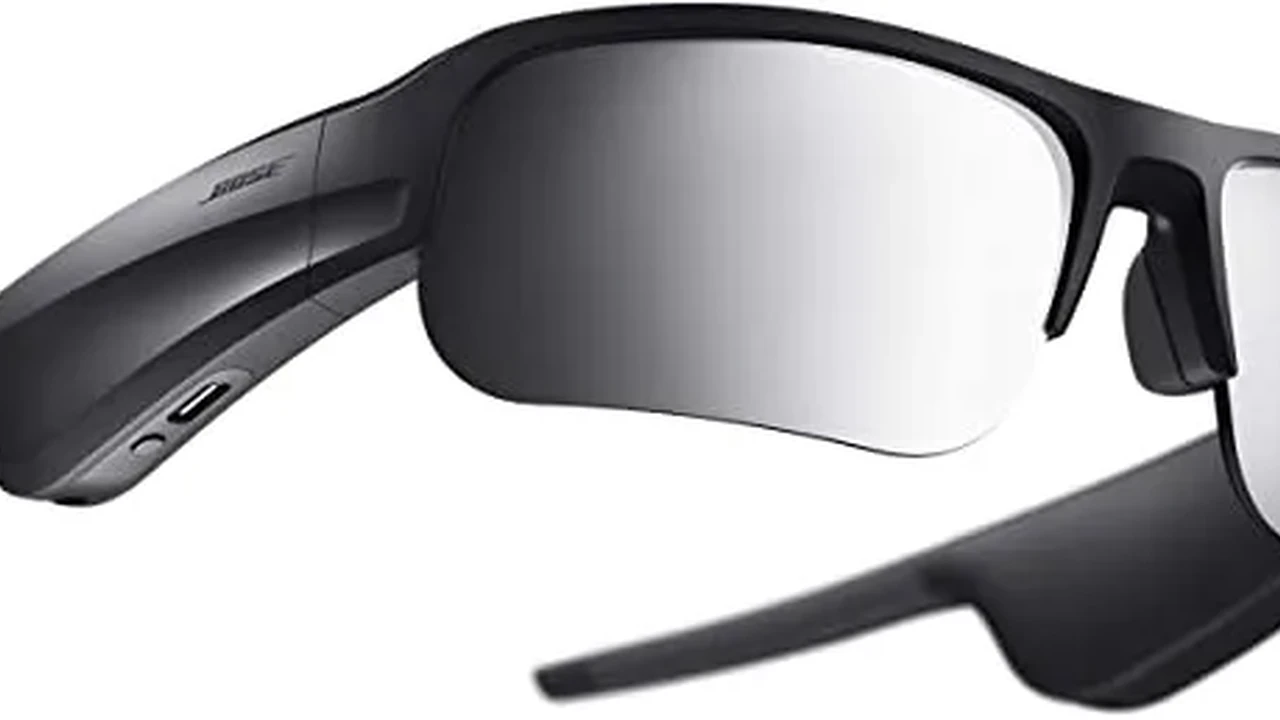
Smart Glasses for Beginners Getting Started Guide
A simple guide for beginners on how to set up and start using your new smart glasses effectively.

A simple guide for beginners on how to set up and start using your new smart glasses effectively.
Smart Glasses for Beginners Getting Started Guide
Unboxing Your New Smart Glasses What to Expect
So, you've finally got your hands on a pair of smart glasses. That's awesome! The first step is always the most exciting: unboxing. When you open that box, you'll typically find the smart glasses themselves, a charging cable (often USB-C), a charging adapter, a cleaning cloth, and a quick start guide or user manual. Some models might include a carrying case, extra nose pads for a better fit, or even prescription lens inserts if you ordered them. Take a moment to familiarize yourself with all the components. It's like getting a new phone, but for your face! Make sure everything is there and nothing looks damaged from shipping. It's a good idea to keep the packaging for a little while, just in case you need to return or exchange them.
Initial Setup and Charging Your Smart Glasses
Before you dive into all the cool features, your smart glasses will likely need a full charge. Locate the charging port, which is usually discreetly placed on one of the temples. Plug them in and let them charge completely. Most smart glasses have an LED indicator that changes color or turns off when fully charged. This initial charge can take anywhere from 1 to 3 hours, depending on the model and battery size. While they're charging, you can start looking through the quick start guide. It will give you a basic overview of the buttons, gestures, and initial pairing process. Don't skip this step; it's crucial for a smooth first experience.
Pairing Your Smart Glasses with Your Smartphone or Device
Once your smart glasses are charged, the next big step is pairing them with your smartphone or another compatible device. This is usually done via Bluetooth, just like wireless headphones. First, make sure Bluetooth is enabled on your phone. Then, put your smart glasses into pairing mode. This often involves pressing and holding a specific button on the glasses until an indicator light flashes. Your phone should then detect the smart glasses in its Bluetooth settings. Select them from the list, and follow any on-screen prompts to complete the pairing. Some smart glasses require a dedicated app for full functionality. If that's the case, download the app from your phone's app store (Google Play Store for Android, Apple App Store for iOS) and follow the in-app instructions for setup. This app is usually where you'll manage settings, update firmware, and access specific features.
Essential Smart Glasses Apps and Software Installation
Many smart glasses rely heavily on companion apps to unlock their full potential. For example, Ray-Ban Stories uses the Meta View app, Amazon Echo Frames use the Alexa app, and some AR glasses might have their own proprietary software. Once paired, open the required app. It will guide you through any necessary software updates for the glasses. Always ensure your smart glasses are running the latest firmware. Updates often bring new features, performance improvements, and crucial bug fixes. Within the app, you'll typically find settings for audio preferences, notification management, gesture controls, and sometimes even camera settings if your glasses have one. Spend some time exploring the app's interface to understand all the customization options available to you.
Understanding Basic Smart Glasses Controls and Gestures
Smart glasses come with various ways to interact with them. These can include physical buttons, touch-sensitive surfaces on the temples, or even voice commands. For instance, many models have a button for power on/off, another for pairing, and sometimes a multi-function button for answering calls or playing/pausing music. Touch controls on the temples are common for adjusting volume, skipping tracks, or activating a voice assistant. Voice commands are often the most intuitive way to interact, allowing you to say things like, "Hey Alexa, play music," or "Hey Meta, take a photo." Refer to your specific model's manual to learn all the gestures and commands. Practice them a few times to get comfortable. It might feel a bit awkward at first, but you'll get the hang of it quickly.
Smart Glasses Audio Features Making Calls and Listening to Music
One of the most common uses for smart glasses is audio. Most models feature open-ear audio, meaning sound is directed towards your ears without blocking ambient noise. This is great for situational awareness. You can typically answer calls by tapping a temple or using a voice command. The built-in microphones are designed to pick up your voice clearly, even in noisy environments. For music, simply play your favorite tunes from your phone, and the audio will stream directly to your glasses. You can usually control playback (play, pause, skip) and volume through touch gestures or voice commands. Some premium models might offer better bass response or noise cancellation for calls, but the primary focus is often on convenience and awareness.
Smart Glasses Camera Features Capturing Photos and Videos
Many smart glasses, like Ray-Ban Stories, come with integrated cameras, allowing you to capture photos and videos hands-free. This is fantastic for documenting moments without pulling out your phone. Typically, you can start recording or take a photo with a quick press of a button or a voice command. The camera's field of view is usually designed to capture what you're seeing. Photos and videos are then automatically synced to your phone via the companion app. You can then edit, share, or save them. Be mindful of privacy when using the camera feature, especially in public spaces. Many smart glasses have a small LED indicator that lights up when the camera is recording, signaling to others that you're capturing content. Always be respectful and aware of your surroundings.
Smart Glasses Notifications and Information at a Glance
Beyond audio and camera, smart glasses excel at delivering discreet notifications. Instead of constantly checking your phone, you can receive alerts for incoming calls, messages, calendar reminders, or even navigation directions directly through your glasses. Some models use subtle audio cues, while others might have a small, unobtrusive display that shows snippets of information. This allows you to stay connected without being distracted. You can usually customize which notifications you receive through the companion app, ensuring you only get the information that matters most to you. This feature is particularly useful for staying present in conversations or activities while still being aware of important updates.
Maintaining and Cleaning Your Smart Glasses for Longevity
Just like regular glasses, smart glasses need proper care to last. Always use the provided microfiber cleaning cloth to wipe the lenses and frames. Avoid using harsh chemicals or abrasive materials, as these can damage the coatings or electronics. For tougher smudges, a small amount of lens cleaning spray designed for eyeglasses can be used. Store your smart glasses in their case when not in use to protect them from scratches and dust. Be careful not to expose them to extreme temperatures or direct sunlight for prolonged periods, as this can affect the battery and internal components. Treat them with care, and they'll serve you well for a long time.
Troubleshooting Common Smart Glasses Issues
Even with the best technology, sometimes things don't go as planned. If your smart glasses aren't connecting, first check if Bluetooth is on and if they're in pairing mode. A simple restart of both your phone and the glasses can often resolve minor glitches. If audio isn't working, check the volume settings on both the glasses and your phone. For charging issues, try a different cable or power adapter. If you're experiencing persistent problems, consult the user manual's troubleshooting section or the manufacturer's support website. They often have FAQs and detailed guides. Sometimes, a factory reset (usually done through the companion app or a specific button combination) can fix more stubborn issues, but remember this will erase all your settings.
Recommended Smart Glasses for Beginners and Their Use Cases
Ray-Ban Stories Ideal for Casual Use and Content Creation
Price Range: $299 - $379
Ray-Ban Stories, a collaboration between Meta and Luxottica, are perhaps the most approachable smart glasses for beginners, especially if you're looking for something that looks and feels like regular eyewear. They come in iconic Ray-Ban styles like Wayfarer, Round, and Meteor. Their primary use case revolves around casual content creation and audio. They feature dual 5MP cameras for hands-free photos and 30-second videos, perfect for capturing spontaneous moments at a concert, a family gathering, or while exploring a new city. The open-ear speakers allow you to listen to music, podcasts, and take calls without blocking out your surroundings, which is great for walking around or being aware of traffic. They integrate seamlessly with the Meta View app for easy content management and sharing to social media. Battery life is decent for a day of casual use, typically lasting a few hours of active recording or audio playback. They are not designed for AR overlays or complex computing, making them straightforward to use for everyday purposes. Think of them as a stylish, wearable camera and audio device.
Amazon Echo Frames Best for Voice Assistant Integration and Notifications
Price Range: $269 - $289
Amazon Echo Frames are designed for those who are deeply integrated into the Amazon Alexa ecosystem. These smart glasses prioritize voice assistant functionality and discreet notifications. They don't have a camera or a display, making them less intrusive and more focused on audio interactions. You can ask Alexa to play music, set reminders, get news updates, control smart home devices, and make calls, all hands-free. The open-ear audio technology directs sound to your ears while minimizing leakage, allowing you to hear your surroundings. They are lightweight and comfortable for extended wear, and you can even get them with prescription lenses. Echo Frames are excellent for busy individuals who want to stay connected and productive without constantly pulling out their phone. Their strength lies in their seamless integration with Alexa, making them a natural extension of your digital assistant. Battery life is generally good for a full day of intermittent use.
Anker Soundcore Frames Great Value for Audio and Swappable Styles
Price Range: $199 - $249
Anker Soundcore Frames offer a compelling entry point into smart glasses, particularly for audio enthusiasts, at a more budget-friendly price. Their standout feature is the interchangeable front frames, allowing you to swap styles to match your outfit or mood. This adds a level of customization not often seen in this category. They boast four speakers and a custom audio processor for a more immersive open-ear audio experience compared to some competitors. Like other audio-focused smart glasses, they allow for music playback, calls, and voice assistant access (Siri or Google Assistant). They don't have a camera or display, keeping the focus on audio and style. The touch controls on the temples are intuitive for managing media and calls. Soundcore Frames are a great option if you prioritize good audio quality, style versatility, and don't need camera or AR features. They offer excellent value for their price point, making them a solid choice for beginners who want to dip their toes into smart eyewear without a huge investment.
Razer Anzu Smart Glasses Designed for Gaming and Eye Protection
Price Range: $99 - $199 (often on sale)
Razer Anzu smart glasses are unique in their focus on gamers and those who spend a lot of time in front of screens. They come with both blue light filtering lenses (for reducing eye strain during screen time) and polarized sunglass lenses (for outdoor use). This dual functionality makes them versatile. Like the Anker Soundcore Frames, they are primarily audio-focused, offering low-latency Bluetooth audio for a more synchronized gaming or video watching experience. They feature open-ear audio for calls and music, and touch controls on the temples. While they don't have a camera or display, their emphasis on eye protection and low-latency audio makes them appealing to a specific niche. If you're a gamer, a student, or someone who works long hours on a computer, the Razer Anzu could be a great entry-level smart glasses option that also provides practical benefits for your eye health. Their price point is often very competitive, making them an accessible choice for many beginners.
The Future is Bright Embracing Your Smart Glasses Journey
Congratulations on taking the plunge into the world of smart glasses! You've now got a basic understanding of how to set them up, use their core features, and even troubleshoot common issues. Remember, smart glasses technology is constantly evolving, with new features and improvements being rolled out regularly. Keep an eye on firmware updates and explore new apps that might become available for your model. Don't be afraid to experiment with different settings and voice commands to find what works best for you. Whether you're using them for hands-free calls, capturing memories, staying on top of notifications, or simply enjoying your favorite tunes, smart glasses offer a unique blend of convenience and technology that can seamlessly integrate into your daily life. Enjoy your new smart eyewear!
:max_bytes(150000):strip_icc()/277019-baked-pork-chops-with-cream-of-mushroom-soup-DDMFS-beauty-4x3-BG-7505-5762b731cf30447d9cbbbbbf387beafa.jpg)