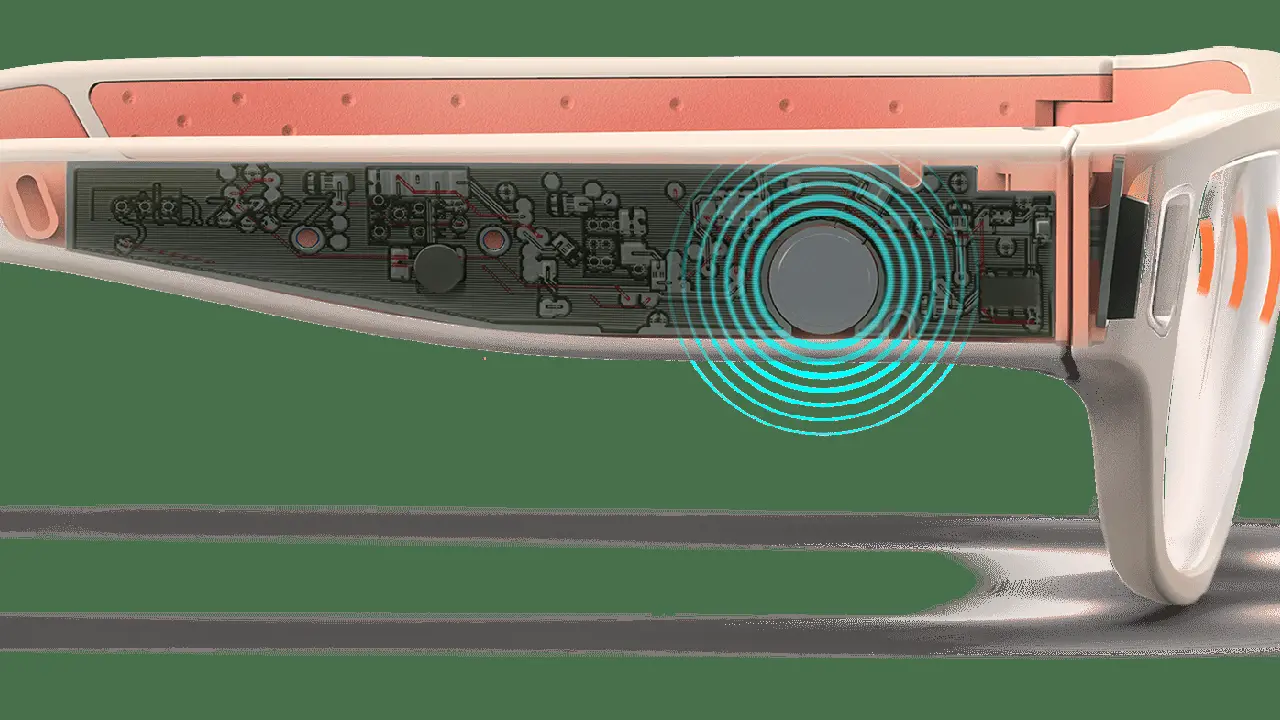
Smart Glasses Voice Control and Natural Language Processing
Understand the advancements in voice control and natural language processing for smart glasses.
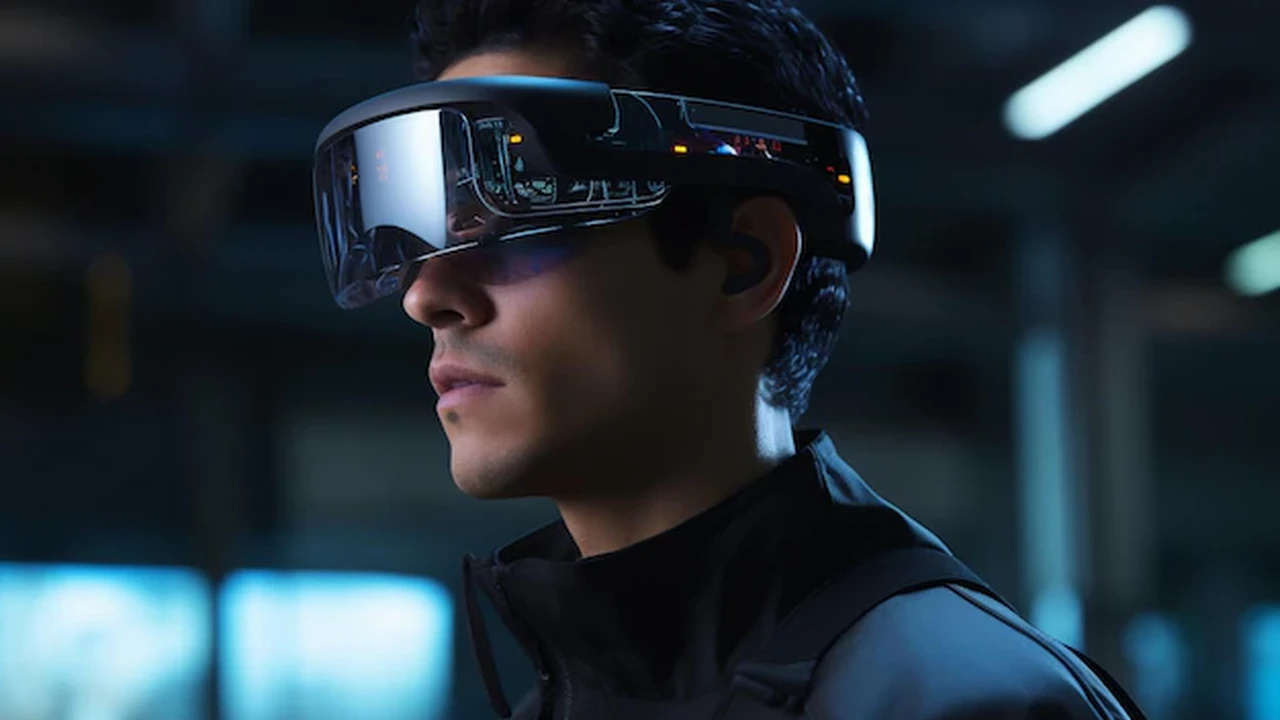
Understand the advancements in voice control and natural language processing for smart glasses.
Smart Glasses Voice Control and Natural Language Processing
The Dawn of Hands-Free Interaction Smart Glasses Voice Control
Hey there, tech enthusiasts! Let's dive deep into something truly revolutionary in the world of smart glasses: voice control. Imagine navigating your digital world, sending messages, getting directions, or even taking photos, all without lifting a finger. That's the magic of voice control in smart glasses. It's not just about convenience; it's about creating a seamless, intuitive, and truly hands-free experience that integrates technology more naturally into our daily lives. For anyone considering smart glasses, understanding how voice control works and its capabilities is absolutely crucial. It's often the primary way you'll interact with your device, making it a cornerstone of the user experience.
Think about it: traditional smart devices often require you to tap, swipe, or type. While effective, these interactions can be cumbersome, especially when your hands are occupied or you're on the go. Smart glasses, by their very nature, are designed to be worn and used in dynamic environments. Voice control steps in as the perfect solution, allowing you to keep your focus on the real world while still accessing a wealth of information and functionality. This isn't just about simple commands; we're talking about sophisticated interactions powered by advanced natural language processing, which we'll get into shortly.
Natural Language Processing The Brain Behind Smart Glasses Voice Commands
So, how do smart glasses understand what you're saying? That's where Natural Language Processing, or NLP, comes into play. NLP is a branch of artificial intelligence that gives computers the ability to understand, interpret, and generate human language. For smart glasses, this means converting your spoken words into actionable commands. It's not just about recognizing individual words; it's about understanding the context, intent, and nuances of your speech. This is what allows you to say something like, "Hey Glasses, find me the nearest coffee shop," and have your device not only understand 'coffee shop' but also 'nearest' and then execute a search based on your current location.
The evolution of NLP has been a game-changer for voice interfaces. Early voice recognition systems were often clunky and required very specific phrasing. Today, thanks to advancements in machine learning and deep learning, NLP models are far more robust. They can handle variations in accent, tone, and even grammatical errors, making interactions feel much more natural and less like you're talking to a robot. This continuous improvement in NLP is directly responsible for the increasingly sophisticated and reliable voice control we see in modern smart glasses.
Key Features and Capabilities of Voice Control in Smart Glasses
What exactly can you do with voice control on smart glasses? The possibilities are expanding rapidly, but here are some core functionalities you can expect:
Navigation and Location Services Hands-Free Directions
One of the most practical applications of voice control in smart glasses is navigation. Imagine walking or cycling and simply saying, "Hey Glasses, navigate to Central Park," and having turn-by-turn directions appear subtly in your field of view. No more fumbling with your phone or looking down at a map. Products like the Ray-Ban Stories, while more focused on media capture, offer basic voice commands for navigation when paired with a phone. More advanced AR glasses like the Nreal Air, when connected to a compatible device, can leverage voice for more immersive navigation experiences, overlaying directions directly onto the real world. The convenience here is unparalleled, especially for urban explorers or outdoor enthusiasts.
Communication and Messaging Stay Connected with Your Voice
Voice control makes communication incredibly easy. You can dictate messages, make calls, or even join virtual meetings without ever touching your phone. "Hey Glasses, text Sarah 'I'm running late'" or "Call Mom." Devices like the Amazon Echo Frames (though technically smart audio glasses, they heavily rely on voice) excel in this area, integrating seamlessly with Alexa for calls, texts, and smart home control. The Huawei X Gentle Monster Eyewear also offers excellent voice-activated call answering and music playback, blending fashion with functionality. This feature is a huge boon for productivity and staying connected while keeping your hands free.
Information Retrieval and Web Search Instant Answers
Need to know the weather? Or the capital of Madagascar? Just ask your smart glasses. Voice-activated search allows for instant access to information. "Hey Glasses, what's the weather like today?" or "Search for the best pizza places near me." This is where the integration with powerful AI assistants like Google Assistant or Alexa truly shines. While many smart glasses rely on a tethered smartphone for this, the voice interface makes the interaction feel native to the glasses. The Google Glass Enterprise Edition 2, for instance, allows workers to quickly pull up manuals or schematics using voice commands, significantly speeding up workflows.
Media Control and Entertainment Your Personal DJ
Control your music, podcasts, or even video playback with simple voice commands. "Hey Glasses, play my workout playlist," or "Next song." This is a common feature across many smart audio glasses. The Razer Anzu Smart Glasses, designed with gamers and audio lovers in mind, offer robust voice control for media playback, volume adjustment, and even answering calls, all while providing blue light filtering. The Bose Frames (now discontinued but a pioneer in this space) also offered excellent voice-controlled audio experiences. It's like having a personal assistant for your entertainment, always ready to play your favorite tunes.
Camera and Photo Capture Hands-Free Memories
For smart glasses equipped with cameras, voice control is a natural fit for capturing moments. "Hey Glasses, take a photo" or "Record video." This allows for spontaneous, authentic captures without the awkwardness of pulling out a phone. The Ray-Ban Stories are perhaps the most prominent example here, with their dual cameras activated by a simple voice command, making it incredibly easy to capture photos and short videos from your perspective. This feature is fantastic for documenting experiences, whether it's a hike, a concert, or just everyday life.
The Role of AI Assistants in Smart Glasses Voice Control
Behind many of these voice control capabilities are powerful AI assistants. Think of them as the brains that process your spoken commands and translate them into actions. Major players like Google Assistant, Amazon Alexa, and Apple's Siri are increasingly being integrated into smart glasses platforms. These assistants bring a wealth of knowledge and functionality, from answering general knowledge questions to controlling smart home devices.
For example, smart glasses with Google Assistant integration can leverage Google's vast search capabilities and ecosystem of services. If you ask, "Hey Google, what's my schedule today?" your glasses can access your calendar and provide the information. Similarly, Alexa-enabled smart glasses can control your smart lights, thermostats, or even order groceries with a voice command. The seamless integration of these AI assistants is crucial for making smart glasses truly smart and useful in a wide range of scenarios.
Challenges and Limitations Current Hurdles for Voice Control
While voice control in smart glasses is incredibly promising, it's not without its challenges. One major hurdle is accuracy in noisy environments. A bustling street, a crowded cafe, or a windy day can significantly impact the microphone's ability to pick up your voice clearly, leading to misinterpretations. Another challenge is battery consumption. Constantly listening for a wake word and processing voice commands can drain battery life faster. Developers are working on more efficient algorithms and hardware to mitigate this.
Privacy concerns are also a significant consideration. The idea of a device constantly listening can be unsettling for some. Manufacturers are addressing this by ensuring that voice data is processed securely and often locally on the device, with clear indicators when the microphone is active. Finally, latency – the delay between your command and the device's response – can sometimes break the illusion of seamless interaction. As processing power improves, this is becoming less of an issue, but it's still a factor in some less powerful models.
Future Trends and Innovations What's Next for Voice Control
The future of voice control in smart glasses is incredibly exciting. We're likely to see:
Enhanced Contextual Understanding Smarter Interactions
Future NLP models will be even better at understanding context. Imagine saying, "Remind me about this later," while looking at a specific object or person, and the glasses automatically associate the reminder with that visual context. This level of contextual awareness will make interactions feel even more natural and intuitive.
Multi-Modal Input Combining Voice with Gaze and Gestures
While voice is powerful, combining it with other input methods like gaze tracking (where you're looking) and subtle hand gestures will create a richer interaction experience. For instance, you might look at a restaurant, say "Tell me more," and then make a subtle hand gesture to scroll through reviews. This multi-modal approach is already being explored in advanced AR headsets and will trickle down to more consumer-friendly smart glasses.
Personalized Voice Models Adapting to Your Voice
As AI advances, smart glasses could develop personalized voice models that are specifically trained on your voice, accent, and speaking patterns. This would lead to even higher accuracy and a more tailored user experience, making the glasses feel truly like an extension of yourself.
Edge AI Processing Faster and More Private
More and more voice processing will happen directly on the device (edge AI) rather than relying solely on cloud servers. This means faster response times, reduced latency, and enhanced privacy, as less data needs to leave your device. This is a significant trend that will make voice control even more robust and reliable.
Popular Smart Glasses and Their Voice Control Implementations
Let's look at some specific products and how they handle voice control, along with their approximate price ranges:
Ray-Ban Stories
- Voice Control: Uses Facebook Assistant (now Meta AI) for hands-free photo/video capture, call answering, and media control. You say "Hey Facebook, take a photo" or "Hey Facebook, record a video."
- Use Case: Casual everyday wear, capturing moments, social sharing.
- Pros: Stylish design, integrated cameras, decent audio.
- Cons: Limited smart features beyond media capture, relies heavily on Meta ecosystem.
- Price: Approximately $299 - $329 USD.
Amazon Echo Frames (2nd Gen)
- Voice Control: Deep integration with Amazon Alexa. You can ask Alexa anything, control smart home devices, make calls, send texts, and play music. "Alexa, what's the weather?" or "Alexa, call John."
- Use Case: Hands-free communication, smart home control, audio streaming, personal assistant.
- Pros: Lightweight, comfortable, open-ear audio, full Alexa functionality.
- Cons: No display, primarily an audio device, battery life could be better.
- Price: Approximately $269.99 USD.
Nreal Air
- Voice Control: Relies on the voice assistant of the connected smartphone (e.g., Google Assistant, Siri). While the glasses themselves don't have a built-in assistant, they pass through commands to the phone.
- Use Case: Portable big screen for media consumption, cloud gaming, productivity (when paired with compatible devices).
- Pros: Excellent display quality, lightweight, comfortable for extended use.
- Cons: Requires a compatible smartphone/device for full functionality, limited standalone features.
- Price: Approximately $379 USD.
Google Glass Enterprise Edition 2
- Voice Control: Designed for enterprise, it uses Google Assistant and custom voice commands for specific workflows. Workers can verbally access manuals, checklists, or initiate video calls. "OK Glass, show me the diagram."
- Use Case: Industrial applications, field service, manufacturing, logistics, healthcare.
- Pros: Robust for enterprise use, integrated camera, strong AR capabilities for specific tasks.
- Cons: Not a consumer device, high price point, specific use cases.
- Price: Approximately $999 USD (often sold as part of enterprise solutions).
Vuzix Blade Upgraded
- Voice Control: Features a built-in voice assistant and can integrate with Alexa. Allows for hands-free navigation, messaging, media control, and accessing information.
- Use Case: Enterprise, but also some consumer applications for notifications and basic AR.
- Pros: Full-color waveguide display, relatively compact for AR glasses, good connectivity.
- Cons: Battery life, display can be small for some content, higher price than audio-only glasses.
- Price: Approximately $799 USD.
Comparing Voice Control Across Different Smart Glasses
When comparing voice control across these devices, it's important to consider the underlying philosophy. Devices like the Amazon Echo Frames prioritize voice as the primary interaction method, offering a robust and always-on Alexa experience. They are essentially smart speakers for your face. The Ray-Ban Stories integrate voice for specific actions like photo/video capture, making it a convenient tool for content creation.
On the other hand, display-centric AR glasses like the Nreal Air and Vuzix Blade use voice as one of several input methods, often complementing visual cues or physical buttons. For enterprise devices like Google Glass Enterprise Edition 2, voice commands are highly tailored to specific industrial workflows, emphasizing efficiency and hands-free operation in demanding environments. The quality of the microphone, the effectiveness of noise cancellation, and the sophistication of the integrated NLP engine are all critical factors that differentiate the voice control experience across these products.
Ultimately, the best voice control experience depends on your primary use case. If you want a seamless audio assistant, Echo Frames might be your pick. If capturing life's moments hands-free is key, Ray-Ban Stories shine. For immersive visual experiences where voice complements the display, Nreal Air or Vuzix Blade offer compelling options. The continuous advancements in NLP and AI are making voice control in smart glasses not just a feature, but a fundamental way we interact with the digital world, making these devices more intuitive and integrated into our lives than ever before.
:max_bytes(150000):strip_icc()/277019-baked-pork-chops-with-cream-of-mushroom-soup-DDMFS-beauty-4x3-BG-7505-5762b731cf30447d9cbbbbbf387beafa.jpg)